SyntaxMeets — the curious saga
How three of us built a real-time collaborative coding room during the pandemic: React, Socket.IO, Express, and a drawing pad for the algorithm.

First published on Hashnode
What is SyntaxMeets? 🚀
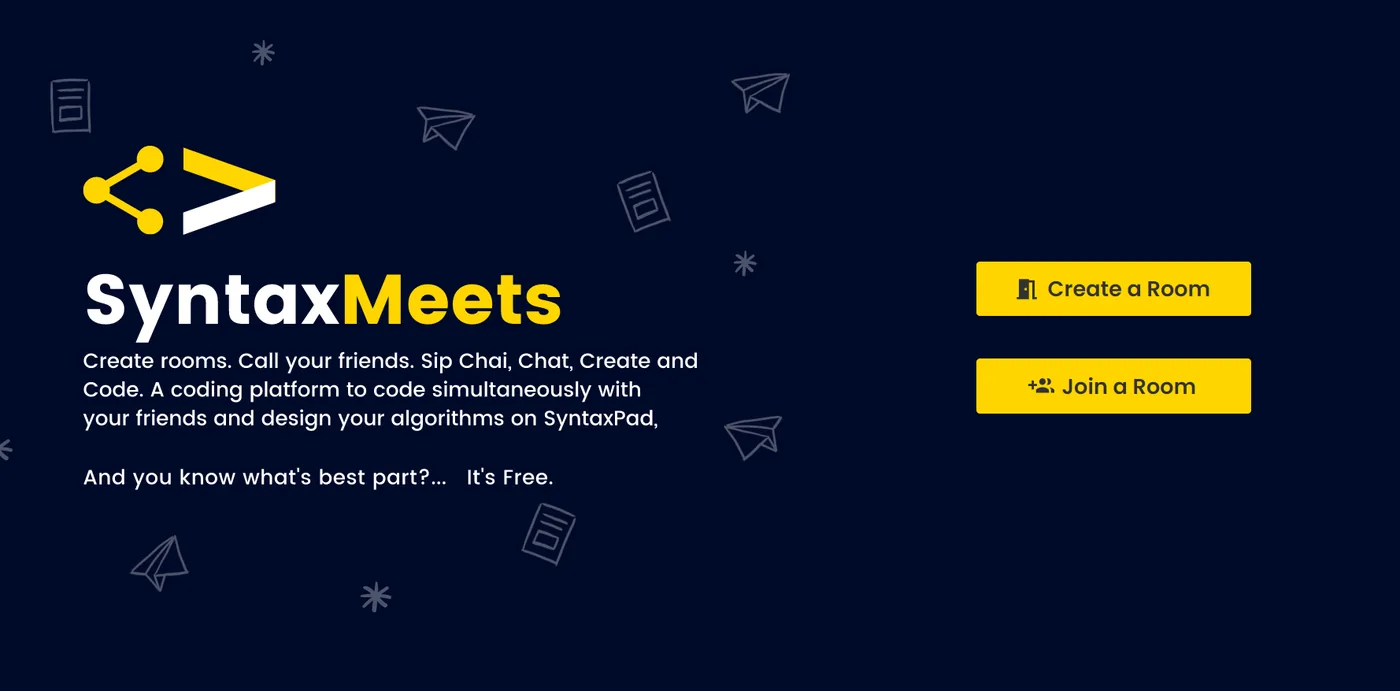
SyntaxMeets is a real-time, collaborative coding platform 👬🏼 to group with other members and code. A user can create/join a room 🏠. A Code Editor with 19 language support and 10+ themes, code compiler, Drawing pad 🎨 to design algorithms, and a Chat Box 💭 to discuss and code.
- SyntaxMeets website 🔗
- GitHub repository — github.com/kothariji/SyntaxMeets 🔗
Key features:
- Create/join the room 🏠 with a single click.
- Code editor with 10+ themes 🎨, adjustable font-size, live auto-completion.
- Code compiler with 19 language support ⚡ and with user-defined inputs.
- An inbuilt chat box to discuss 💬 and code 👨💻.
- A multicolour drawing canvas 🖌️ to draw and analyze the coding algorithm 💡
How we came up with this idea 🤯💡
Due to the global pandemic in the previous year, the whole world was forced to shut and people had to remain quarantined — couldn’t go to work, colleges, etc. in the traditional offline manner. So the whole world moved to online platforms 💻 to work, collaborate and study 📚.
The global pandemic took us by surprise, which enforced us to stay within the four walls, due to which the entire world relocated itself to completely virtual online platforms. Coding together for gigantic coding events like ICPC 🚀 became daunting. That’s when we became conscious of creating a polyvalent platform that consists of an application where the coding teams 💪 can come together and code on the same editor 👨💻 simultaneously.
Architecture of SyntaxMeets 📂
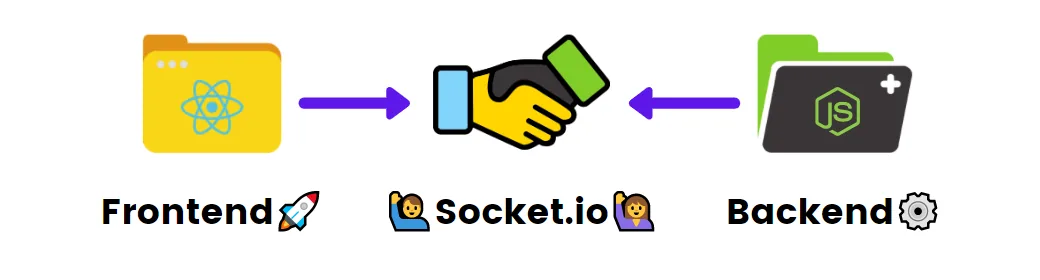
Wrapping up the introduction, let us dive into the coding segment. So the overall application is divided into two subdirectories: backend (server) ⚙️ and the frontend (client) 🚀.
Let us discuss the frontend first. There are many frontend libraries like Angular and Vue, but the one which caught our eyes was React. It is beautiful 💜. Its component-based architecture helps to code in a lot more efficient and sustainable way. Another reason to choose it over others was that there are great npm libraries which support React 💥. Last but not least, the vast React community 🧑🤝🧑 support is always the cherry on the cake!
Diving deep, our first priority was to add a code editor so that users can code and compile it 👨💻. To achieve this, we used react-ace. Told you, React is incredible 💜. Another challenge was to add a canvas 🎨 to draw algorithms and think of different approaches to solving the problem; react-canvas-draw helped us overcome that.
Primary goal: to make things collaborative 🤝
To achieve communication between two clients we came across a JavaScript library known as Socket.IO 🔥.
Socket.IO enables real-time, bidirectional 🔁, and event-based communication. It works on every platform, browser, or device 📱, focusing equally on reliability and speed 🚀.
Socket.IO primarily uses the WebSocket protocol, and it comes with many additional features like broadcasting, auto-reconnection, disconnection detection, etc. 🔥
So to use it, we need a server 👨💻 to handle all our socket events. And here the backend comes into the picture. Now for the backend, we are using Express.
Reason: as mentioned in the official documentation —
Express is a minimal and flexible Node.js web application framework that provides a robust set of features for web and mobile applications.
Express comes in handy when we need routing, or when we are working with fast and straightforward APIs. Express handles sockets like a boss 🔥🚀
Ah, enough. Let’s codeeeeeeeeeee!
Let us connect 🤝 our client 🙋♂️ and server 🙋
// frontend
const socket = io.connect('http://localhost:4000/'); // connecting to server 🔥

// backend
const io = require('socket.io')(server); // initialize a new instance of socket.io

io.on('connection', (socket) => {
  // events are handled here 🚀
});
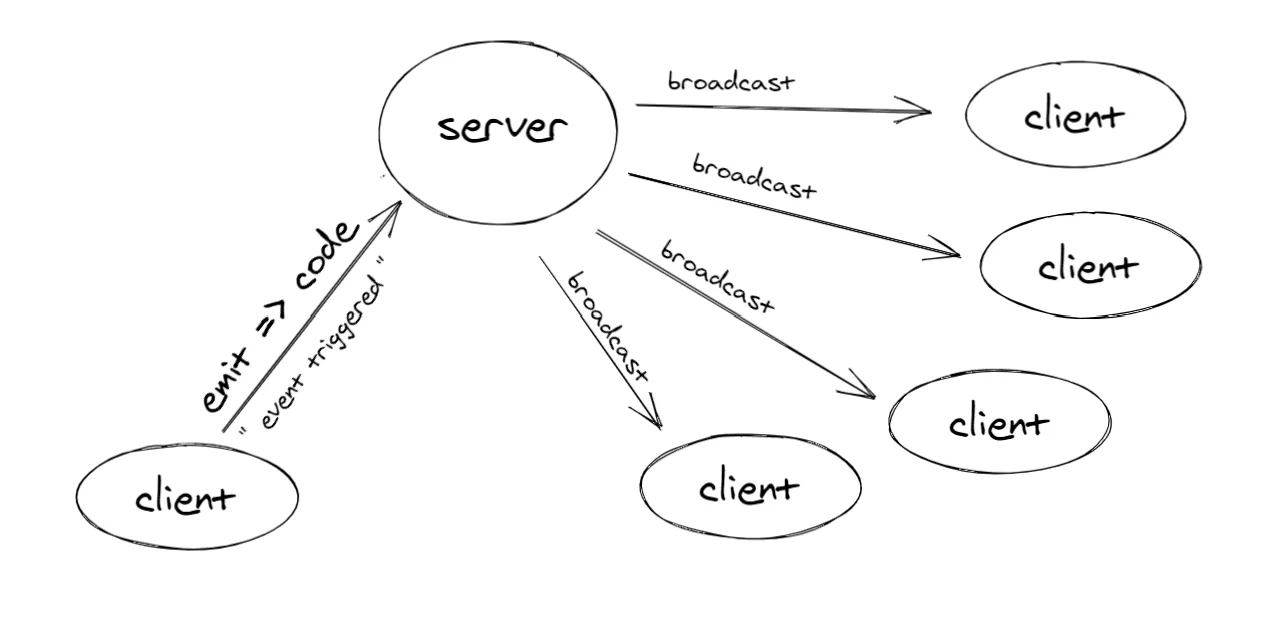
Approach 📝: we know that Socket.IO provides event-based communication 💬, so we
considered adding an onChange event handler in the code editor 👨💻, which will be
triggered every time there is a code change. Now we can send the updated code from client to
server using socket.emit("event name", data). The server will handle this event using
socket.on("event name", (data) => {}). So once we receive updated code on the server ⚙️,
using socket.broadcast.emit() we can send the updated code to all clients (sockets 🏃).
// frontend 🌞
const handleChange = (newCode) => {
  socket.emit('codeChange', newCode);
};

// backend ⛅
socket.on('codeChange', (newCode) => {
  // Send the new code 🚀 to all the sockets 🏃
  socket.broadcast.emit('codeChange', newCode);
});
After broadcasting the newCode, other clients can receive the code by using the
socket.on() method.
// frontend
socket.on('codeChange', (newCode) => {
  setCodeValue(newCode); // setting up the new value 🚀🔥
});
And it’s done — we finally made our code editor collaborative 🚀🔥
UI design 🎨🖌️
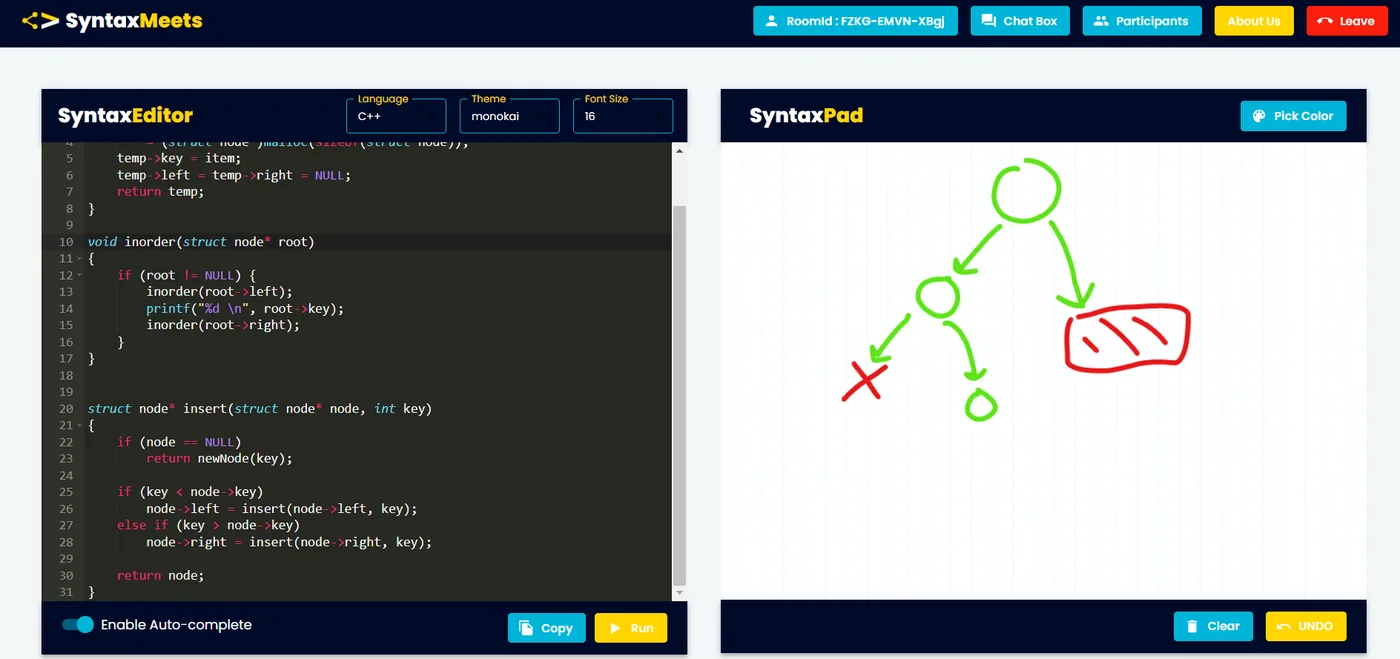
We at SyntaxMeets believe that user interface design links our users 👥 and the website. So it is our uttermost duty to deliver a beautiful experience 🤩. We decided to split the viewport into two halves: the first half is the SyntaxEditor (code arena) 👨💻 and SyntaxPad (canvas) 🎨 on the other side. This allows the user to code and analyze the algorithm simultaneously.
Showcased at 🥇
Websites promoting SyntaxMeets 🚀
- 🌟 españamadrid.com
- 🌟 webeenow
- 🌟 wwwhatsnew
- 🌟 tekcrispy
- 🌟 unividafup
- 🌟 kachibito
- 🌟 diariotecnologia
- 🌟 steemhunt
Creators 😎
- Dhruv Kothari (Third Year CSE Student) 🧠👨💻🚀💜 — GitHub · LinkedIn
- Akash Salvi (Third Year CSE Student) 🧘🔭👨🎓👽 — GitHub · LinkedIn
- Nishant Handge (Third Year CSE Student) 💻📱👨💻💥 — GitHub · LinkedIn
Team members — Dhruv Kothari, Akash Salvi, Nishant Handge, Aditya Nawal 🚀🚀